> ## Documentation Index
> Fetch the complete documentation index at: https://docs.usehindsight.com/llms.txt
> Use this file to discover all available pages before exploring further.
# Analyze Deals
> Connect your sales tools and set up AI-powered deal analysis in 4 steps
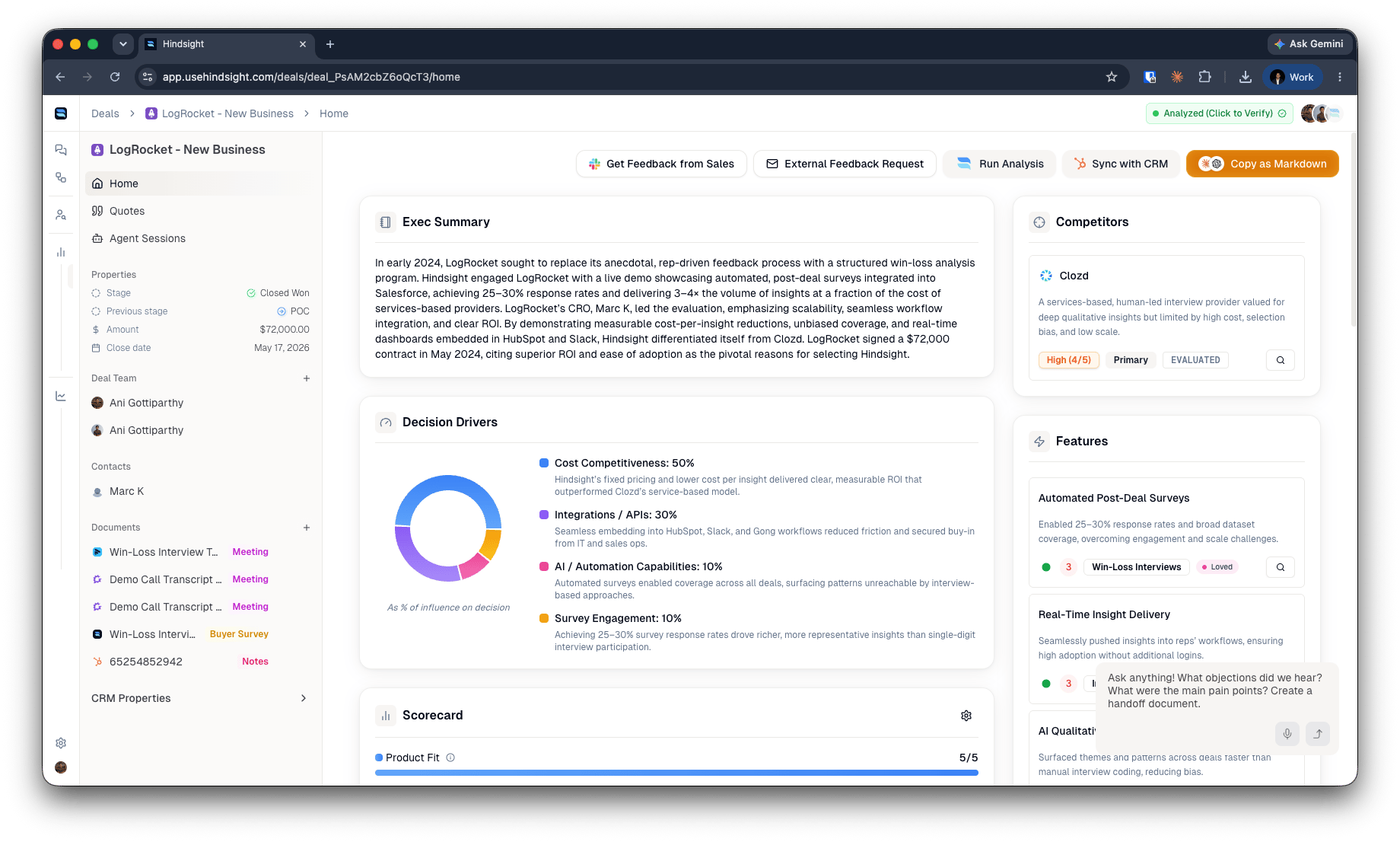
Deal analysis is the foundation of Hindsight. Connect your sources and Hindsight aggregates the calls, emails, CRM records, and documents for each deal into **one verified record** — a *Deal Review* — that powers everything else: your library, the Compete Agent, custom AI, and Plays.
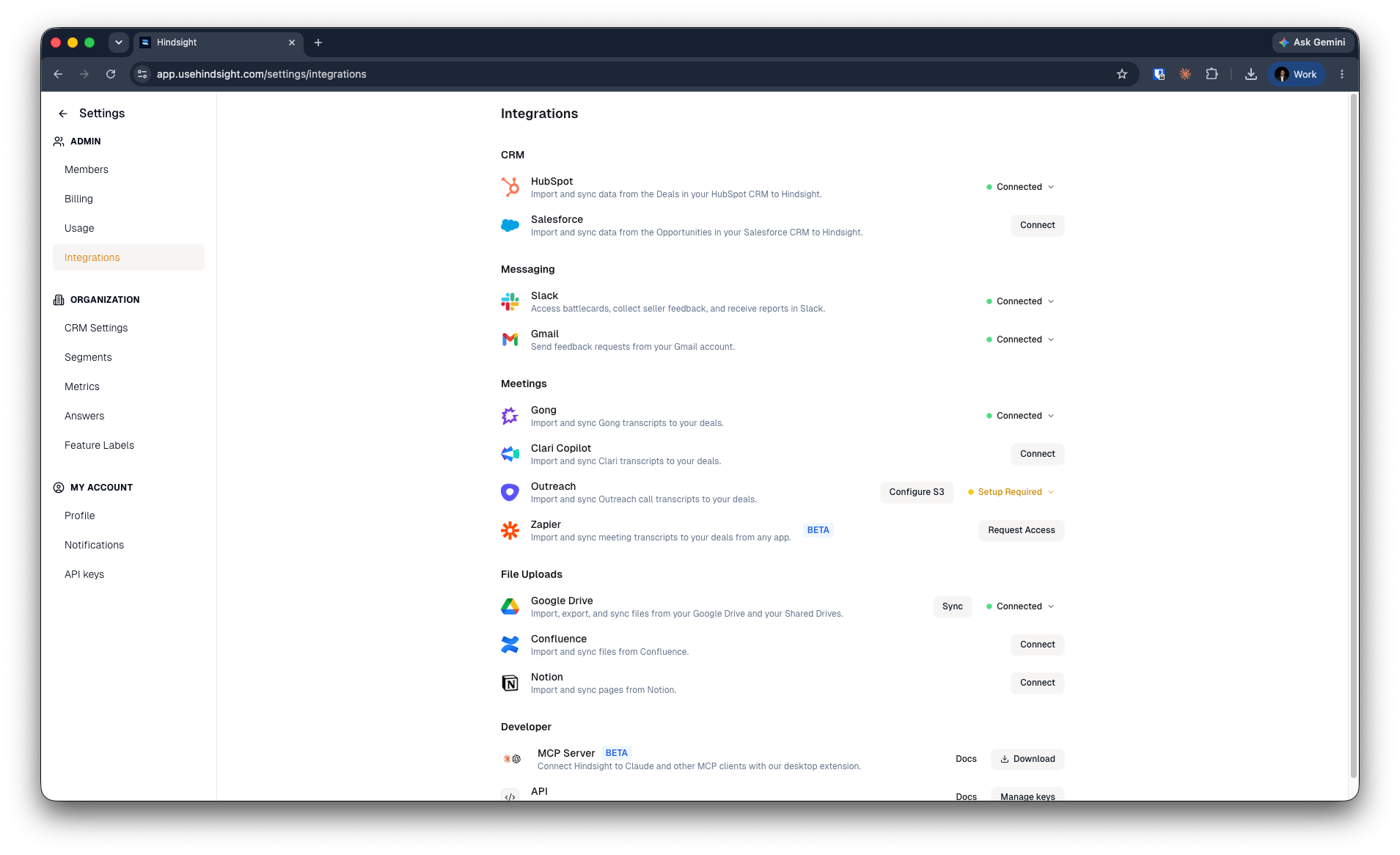
 Connect your sales tools to automatically import deals, calls, and customer
data. Hindsight integrates with all major CRM and sales platforms. **Popular
Integrations:**
* **Salesforce or HubSpot**: Automatic deal import and
analysis. See [Salesforce Integration](/integrations/salesforce-integration) [HubSpot Integration](/integrations/hubspot-integration)
* **Gong, Clari, Outreach, Fathom**: Sales call transcription and insights. See [Gong Integration](/integrations/gong)
* **API**: Push any document or transcript straight onto a deal — useful for sources Hindsight doesn't integrate with natively. See [Upload to a deal](/integrations/api#upload-to-deal).
**Control what comes across from the [CRM Settings page](https://app.usehindsight.com/settings/properties).** Define which deals get pulled, which objects and properties are imported, and where Hindsight writes insights back to your CRM.
Tailor Hindsight's analysis to match your business needs.
Connect your sales tools to automatically import deals, calls, and customer
data. Hindsight integrates with all major CRM and sales platforms. **Popular
Integrations:**
* **Salesforce or HubSpot**: Automatic deal import and
analysis. See [Salesforce Integration](/integrations/salesforce-integration) [HubSpot Integration](/integrations/hubspot-integration)
* **Gong, Clari, Outreach, Fathom**: Sales call transcription and insights. See [Gong Integration](/integrations/gong)
* **API**: Push any document or transcript straight onto a deal — useful for sources Hindsight doesn't integrate with natively. See [Upload to a deal](/integrations/api#upload-to-deal).
**Control what comes across from the [CRM Settings page](https://app.usehindsight.com/settings/properties).** Define which deals get pulled, which objects and properties are imported, and where Hindsight writes insights back to your CRM.
Tailor Hindsight's analysis to match your business needs.
 **Add Custom [Answers](https://app.usehindsight.com/settings/custom-answers) & [Metrics](https://app.usehindsight.com/settings/custom-metrics) from Library:**
* Browse our pre-built library of [answers](https://app.usehindsight.com/settings/custom-answers) and [metrics](https://app.usehindsight.com/settings/custom-metrics)
* Select the insights most relevant to your sales process and win-loss objectives
* Customize how data is extracted and displayed
**Optional: Add Your Own Tags (We'll Auto-Detect):**
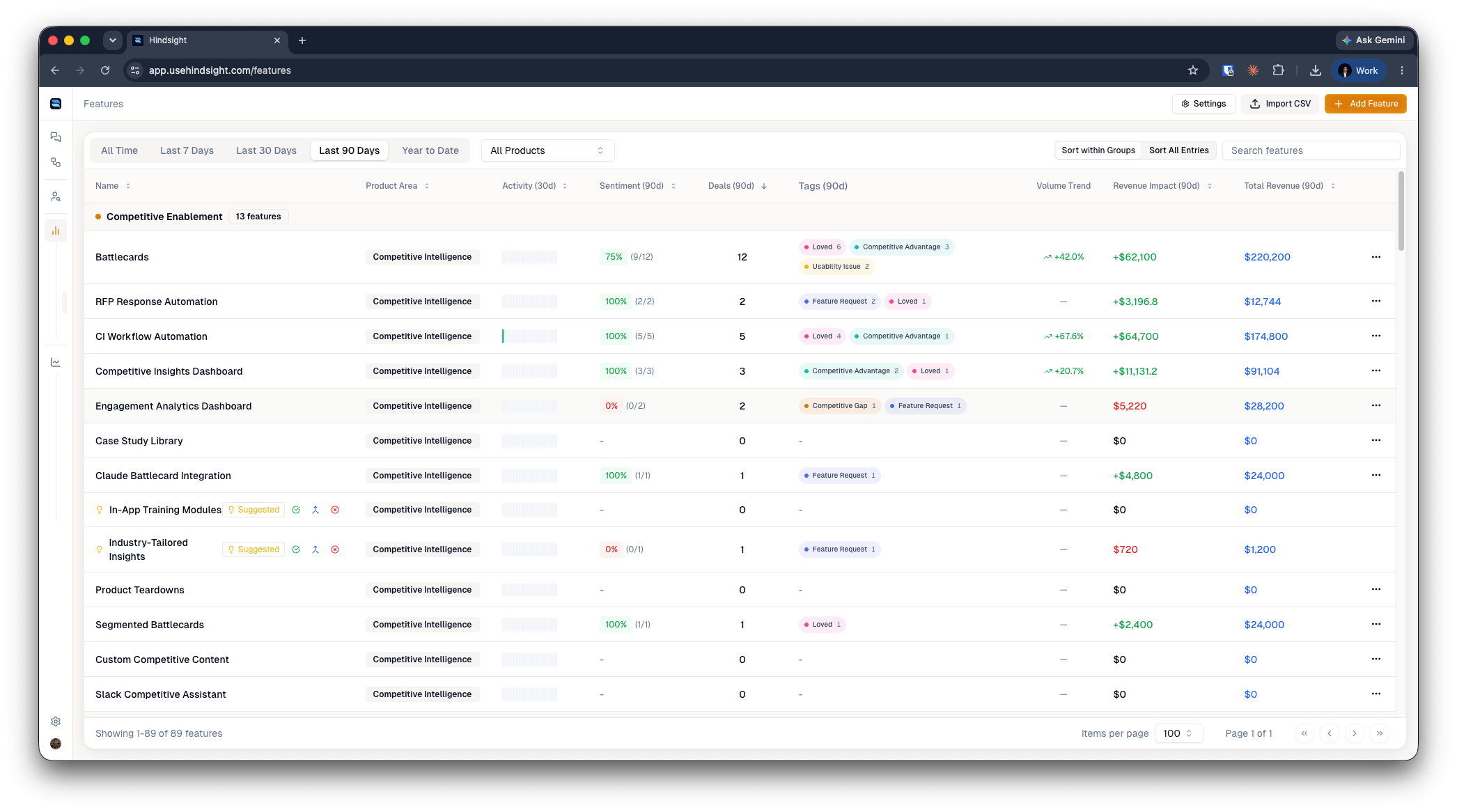
* **[Features](https://app.usehindsight.com/settings/features)**: Define product capabilities to track across deals
* **[Decision Drivers](https://app.usehindsight.com/settings/reasons)**: Set up factors that influence buying decisions
* **[Competitors](https://app.usehindsight.com/settings/competitors)**: Add competitors for automatic mention detection
Hindsight will automatically detect and tag these elements in your deal conversations.
**Add Custom [Answers](https://app.usehindsight.com/settings/custom-answers) & [Metrics](https://app.usehindsight.com/settings/custom-metrics) from Library:**
* Browse our pre-built library of [answers](https://app.usehindsight.com/settings/custom-answers) and [metrics](https://app.usehindsight.com/settings/custom-metrics)
* Select the insights most relevant to your sales process and win-loss objectives
* Customize how data is extracted and displayed
**Optional: Add Your Own Tags (We'll Auto-Detect):**
* **[Features](https://app.usehindsight.com/settings/features)**: Define product capabilities to track across deals
* **[Decision Drivers](https://app.usehindsight.com/settings/reasons)**: Set up factors that influence buying decisions
* **[Competitors](https://app.usehindsight.com/settings/competitors)**: Add competitors for automatic mention detection
Hindsight will automatically detect and tag these elements in your deal conversations.
 Put your insights into action with recipes and automated workflows.
**Recipes:**
* Run pre-built analysis recipes on your deals
* Generate battlecards, reports, and competitive insights
* Extract specific data points across multiple deals
**Workflows:**
* Automate recurring analysis tasks
* Set up triggers based on deal events
* Schedule regular reports and updates
***
## Sources for deal context
Hindsight builds each Deal Review from whatever you connect. Your CRM is the only required source; everything else is optional enrichment.
| Type | Sources |
| -------------- | ---------------------------------------------------- |
| CRM (required) | Salesforce, HubSpot |
| Calls | Gong, Clari, Outreach Kaia, Fathom, Fireflies, Avoma |
| API | Push any document or transcript directly onto a deal |
Put your insights into action with recipes and automated workflows.
**Recipes:**
* Run pre-built analysis recipes on your deals
* Generate battlecards, reports, and competitive insights
* Extract specific data points across multiple deals
**Workflows:**
* Automate recurring analysis tasks
* Set up triggers based on deal events
* Schedule regular reports and updates
***
## Sources for deal context
Hindsight builds each Deal Review from whatever you connect. Your CRM is the only required source; everything else is optional enrichment.
| Type | Sources |
| -------------- | ---------------------------------------------------- |
| CRM (required) | Salesforce, HubSpot |
| Calls | Gong, Clari, Outreach Kaia, Fathom, Fireflies, Avoma |
| API | Push any document or transcript directly onto a deal |
 Need to bring in a source Hindsight doesn't integrate with natively — a data warehouse export, a custom note-taker, an internal tool? Use the **API** to attach documents and transcripts to a deal by `deal_id`, `salesforce_id`, or `hubspot_id`. PDFs, Office files, Markdown, audio, and video are all accepted, and recordings are transcribed automatically. See [Upload to a deal](/integrations/api#upload-to-deal).
***
## When & how Deal Reviews run
Deal analysis runs automatically — you don't trigger each review by hand.
* **Sync cadence** — Hindsight pulls the latest from your connected integrations **every 12 hours** while a deal is open, and continues for **14 days after it closes**, so late-arriving calls and notes still make it in.
* **Re-analysis triggers** — a Deal Review re-runs on **every stage change** (including a move to *Closed Won* / *Closed Lost*), when a deal meets your **auto-import criteria**, and whenever **new context is added** — an uploaded document, an API push, or a completed win-loss interview.
* **Manual runs** — you can re-analyze any deal on demand after new information lands, or backfill historical deals that were never analyzed.
Each review produces a structured deal story — executive summary, timeline, stakeholders, decision drivers, competitive landscape, key quotes, and lessons learned — and can sync win/loss reasons and custom fields back to your CRM. See the full [Deal Reviews guide](/platform/review/deal-reviews) for the complete breakdown.
***
## Ways to analyze your deals
Once your deals are analyzed, there are two ways to get insight out of them — pick based on whether you want an open-ended answer or a standing view.
### 1. Ask AI
Query the verified layer in natural language and let Hindsight pick the right tools across your deals, library, and the web.
* **In-app** — use [Chat](https://app.usehindsight.com/chat) for ad-hoc questions ("why did we lose enterprise deals to Crayon last quarter?").
* **Over MCP** — point Claude, ChatGPT, or your own agent at Hindsight's tools and analyze deals from inside your existing workflow. See [MCP](/integrations/mcp).
* **Compose & schedule** — save a working prompt as a **Recipe** and run it on demand or on a recurring cadence, delivered to Slack or email. See [Build Your Custom AI](/guides/build-custom-ai).
### 2. Dashboard
For standing metrics, the dashboard turns your analyzed deals into **pre-built charts** — no prompting required. Filter by date, segment, or competitor and read win rate, revenue, and the drivers behind outcomes at a glance.
Need to bring in a source Hindsight doesn't integrate with natively — a data warehouse export, a custom note-taker, an internal tool? Use the **API** to attach documents and transcripts to a deal by `deal_id`, `salesforce_id`, or `hubspot_id`. PDFs, Office files, Markdown, audio, and video are all accepted, and recordings are transcribed automatically. See [Upload to a deal](/integrations/api#upload-to-deal).
***
## When & how Deal Reviews run
Deal analysis runs automatically — you don't trigger each review by hand.
* **Sync cadence** — Hindsight pulls the latest from your connected integrations **every 12 hours** while a deal is open, and continues for **14 days after it closes**, so late-arriving calls and notes still make it in.
* **Re-analysis triggers** — a Deal Review re-runs on **every stage change** (including a move to *Closed Won* / *Closed Lost*), when a deal meets your **auto-import criteria**, and whenever **new context is added** — an uploaded document, an API push, or a completed win-loss interview.
* **Manual runs** — you can re-analyze any deal on demand after new information lands, or backfill historical deals that were never analyzed.
Each review produces a structured deal story — executive summary, timeline, stakeholders, decision drivers, competitive landscape, key quotes, and lessons learned — and can sync win/loss reasons and custom fields back to your CRM. See the full [Deal Reviews guide](/platform/review/deal-reviews) for the complete breakdown.
***
## Ways to analyze your deals
Once your deals are analyzed, there are two ways to get insight out of them — pick based on whether you want an open-ended answer or a standing view.
### 1. Ask AI
Query the verified layer in natural language and let Hindsight pick the right tools across your deals, library, and the web.
* **In-app** — use [Chat](https://app.usehindsight.com/chat) for ad-hoc questions ("why did we lose enterprise deals to Crayon last quarter?").
* **Over MCP** — point Claude, ChatGPT, or your own agent at Hindsight's tools and analyze deals from inside your existing workflow. See [MCP](/integrations/mcp).
* **Compose & schedule** — save a working prompt as a **Recipe** and run it on demand or on a recurring cadence, delivered to Slack or email. See [Build Your Custom AI](/guides/build-custom-ai).
### 2. Dashboard
For standing metrics, the dashboard turns your analyzed deals into **pre-built charts** — no prompting required. Filter by date, segment, or competitor and read win rate, revenue, and the drivers behind outcomes at a glance.
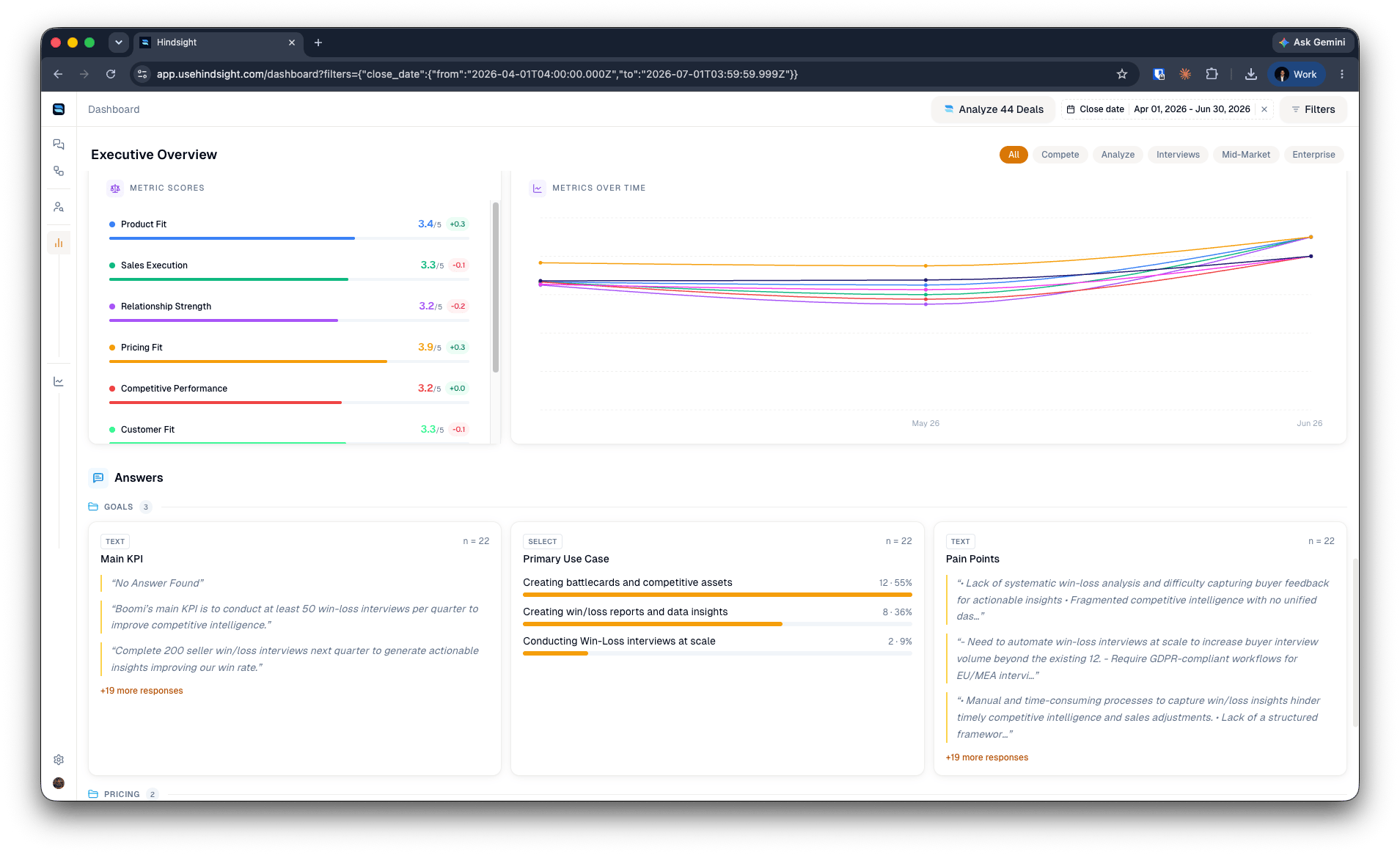
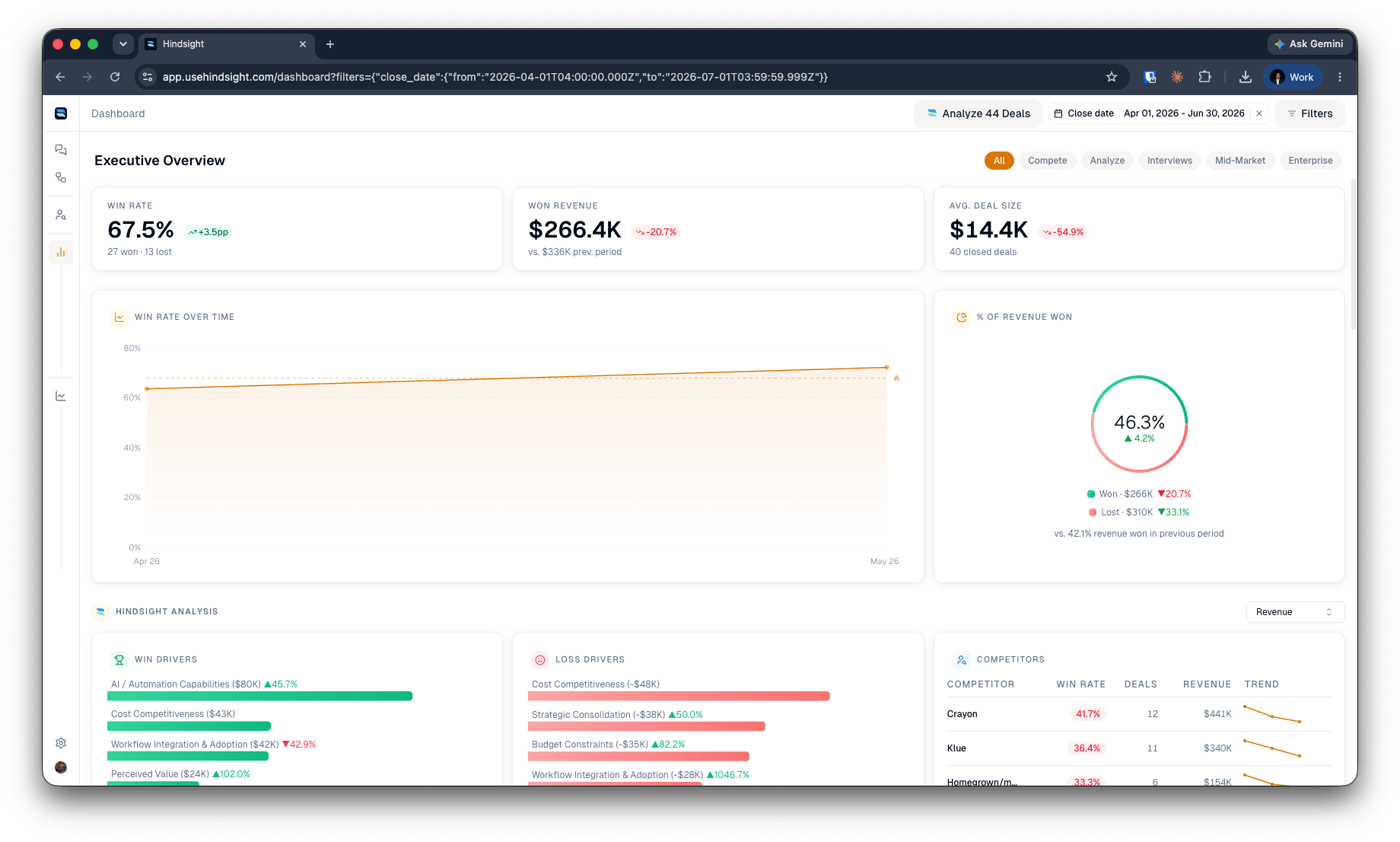 The dashboard also rolls up your custom **metric scores** and **answers** across every analyzed deal, so configured rubrics and free-form questions become trended, aggregate views.
***
### What's Next?
Seed the competitor-scoped knowledge base your AI draws from for battlecards and answers.
Create competitive assets like battlecards, comparison sheets, and objection handlers.
Set up automated win-loss interviews to gather deeper insights from your deals.
The dashboard also rolls up your custom **metric scores** and **answers** across every analyzed deal, so configured rubrics and free-form questions become trended, aggregate views.
***
### What's Next?
Seed the competitor-scoped knowledge base your AI draws from for battlecards and answers.
Create competitive assets like battlecards, comparison sheets, and objection handlers.
Set up automated win-loss interviews to gather deeper insights from your deals.