

Overview
The Hindsight API provides access to competitive intelligence, win-loss insights, and deal data through two integration methods:- REST API - either receive a complete, cited AI response or call supported Hindsight tools directly
- Model Context Protocol (MCP) - Individual tools your AI assistant orchestrates directly
When to Use Each
- REST API responses: For Glean, Slack bots, and search interfaces that want a finished, synthesized answer
- REST API tools: For server-side applications that need structured search or retrieval results without an LLM-generated response
- MCP: For Claude, ChatGPT, Cursor, or other MCP clients that orchestrate tools themselves
API keys
All API requests require an API key in theAuthorization header:
hs_. Existing keys remain supported until they are rotated or expire.
Each key is tied to the organization in which it was created, its creator’s current organization role, its explicit API-key scopes, and an optional expiry date. A key is rejected immediately when it is revoked, expires, or its creator is no longer a member of that organization.
Scopes can only reduce access. They never grant access beyond the creator’s current role or the organization’s configured MCP/API permissions.
Available scopes
Read-only integrations
For competitive discovery, narrative generation, analytics, or reporting, create a key with only the required read scopes. Do not grant any*:write scope unless the integration must change Hindsight data.
Recommended default read-only scopes:
deals:readdocuments:readcompetitive_intel:readknowledge_base:read
exports:read only when the integration needs downloadable deal exports. Add responses:execute only when the integration invokes the Hindsight Responses API.
Expiration and rotation
Available lifetimes are 7 days, 30 days, 90 days, 1 year, and Never. The default is 30 days. Create a replacement key before the old key expires, update the external integration, verify it works, then revoke the old key. Revocation takes effect immediately. Existing keys have a 90-day transition expiry after this feature is deployed and should be rotated before then. Reserve indefinite keys for managed, long-lived integrations and review them regularly.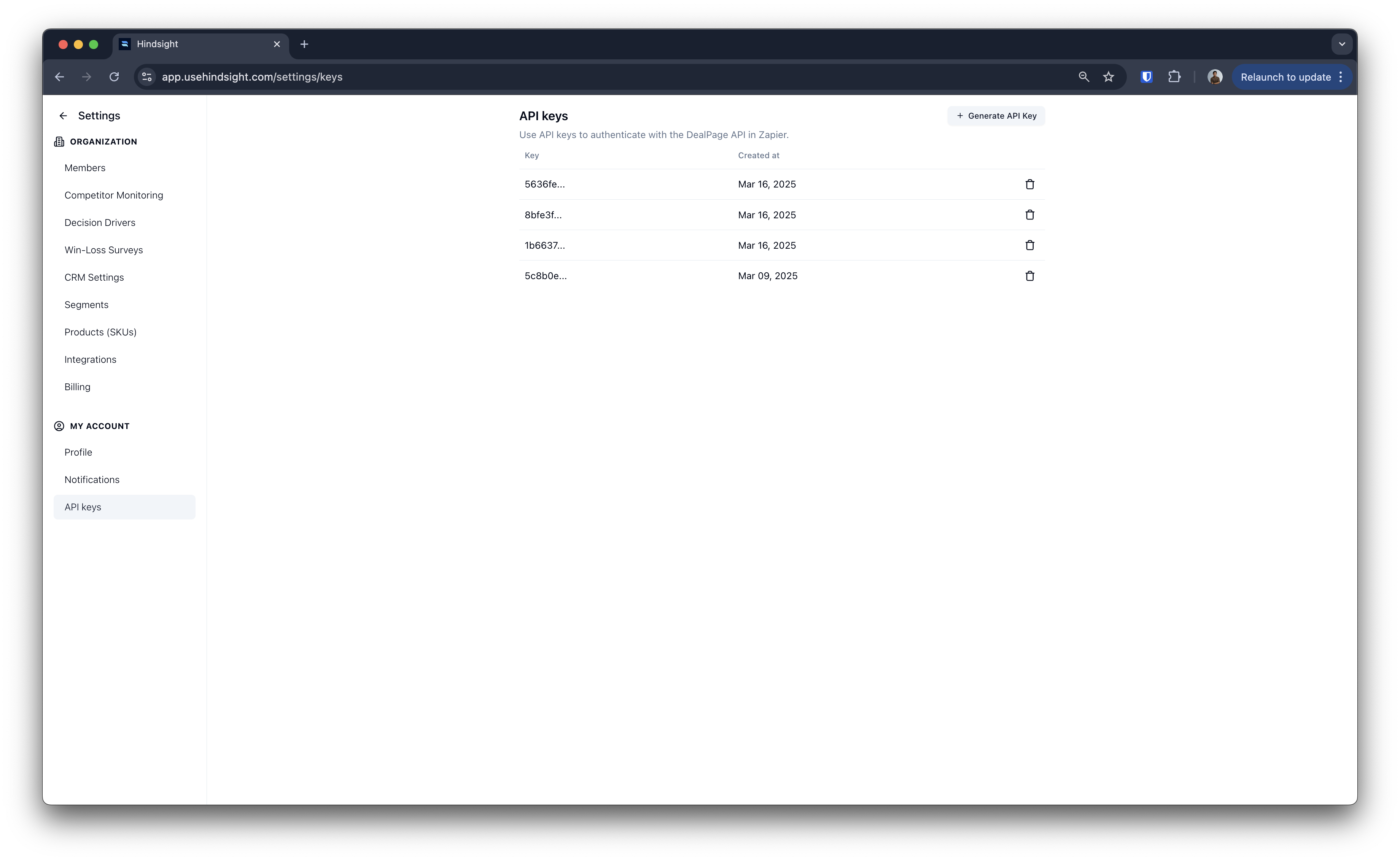
REST API
The REST API has two surfaces. Use Responses when you want Hindsight’s AI to orchestrate multiple searches and return a synthesized, cited answer. Use Tools when your application needs structured results and controls the workflow itself. Best for: Glean, Slack bots, search interfaces, custom applicationsEndpoint
Request Format
Response Format
Streaming Support
Enable streaming for real-time responses:Direct Tool API
Direct tool endpoints accept JSON input and return structured JSON. They are useful when you know the retrieval step you need and want to compose the workflow in your own service. The recommended deal-research flow is:- Call
select-dealto filter and triage analyzed deals. - Pass the returned
deal_idvalues toget-dealfor summaries and competitor positioning.
See the Direct Tool API reference for the complete list of available deal research, competitive intelligence, web research, and data-analysis tools.
For a client-side AI assistant that should choose and sequence tools itself, use MCP instead.
Document Upload API
Upload documents to your Hindsight knowledge base or associate them with specific deals.Upload to Knowledge Base
Upload competitive intelligence documents, assets, and other files to your library.Request Format
Send asmultipart/form-data:
Parameters
*Either
file_url or file is required**Either
competitor_id or competitor_name is required
Response
Upload to Deal
Associate documents with specific deals for win-loss analysis.Request Format
Send asmultipart/form-data:
Parameters
*Either
file_url or file is required**One of
deal_id, salesforce_id, or hubspot_id is required
Supported File Types
- Documents: PDF, Word, PowerPoint, Excel, Markdown, plain text
- Audio: MP3, WAV, M4A (automatically transcribed)
- Video: MP4 (automatically transcribed)
Response
Example Usage
Once configured, you can ask Claude questions like:- “Find deals where we lost to Competitor X in the last quarter”
- “What are the top security objections we’ve encountered?”
- “Search for pricing discussions in enterprise deals”
- “Show me competitor intel on Salesforce’s integration strategy”
Common Use Cases
Use Case 1: Glean Integration
Integrate Hindsight as a data source in Glean to answer competitive intelligence and win-loss questions. REST API Example:Use Case 2: Claude Desktop for Sales Prep
Use Claude with Hindsight tools to prepare for sales calls, analyze deals, and get competitive intel. Example Conversation:Use Case 3: Custom Slack Bot
Build a Slack bot that answers team questions about deals and competitors. REST API Example:Rate limits
Hindsight applies both organization-wide and per-API-key request limits. The organization-wide limit protects overall platform capacity, while the per-key limit prevents one compromised or malfunctioning key from exhausting the organization’s entire allowance. Per-key defaults are derived from the organization’s plan limit: approximately one-third of the organization limit, with a minimum of 5 requests per minute. Expensive operations such as exports, uploads, interview actions, and AI/Responses requests may also consume separate usage quotas. Clients should handle429 Too Many Requests using these existing response headers:
Do not infer separate per-key response headers: the current public headers represent the active response limit.
Error Handling
All errors follow this format:Error Codes
400- Bad Request (invalid parameters)401- Unauthorized (invalid API key)403- Forbidden (insufficient scope or permissions)404- Not Found (resource doesn’t exist)429- Too Many Requests (rate limit or applicable usage quota exceeded)500- Internal Server Error
Next Steps
Get API Key
Generate your API key from the dashboard
MCP Setup Guide
Detailed MCP configuration and the full tool reference
AI Responses
Full reference for the responses endpoint
Direct Tool API
Browse every structured-search and analysis tool
Platform Overview
How the verified deal layer is built