

Why this Matters
The main challenge to creating helpful, accurate AI is getting the right context into the model’s attention span at the right time. The process of doing this is called “context engineering.” Hindsight’s makes finding the right context easy by abstracting away complicated research tasks (like finding objections vs. competitor Acme in lost deals from this quarter) behind “tools” that you can invoke via natural language. Simple, non descript queries still work for most use cases (e.g. what’s the top reason we lose to competitor X) - our AI will plan it’s response and pick the right tools to use. However, by understanding what tools Hindsight has access to, you can be more clear about the task and steps, allowing you to complete more complex tasks with more precision. If you aren’t comfortable invoking specific tools in your prompt, use Skills for powerful pre-built procedures (see the Skills and Workflows guide for more).Agent Routing
Behind the scenes, Hindsight routes your queries to specialized sub-agents, each optimized for different tasks. The system automatically detects whether you’re asking about competitors, deals, or data analysis and picks the right expert to handle your request.Tools
Deal Research
- Select Deals — use filters to select deals by name, segment, stage, competitor, amount, close date.
- Search Deals — find deals based on keywords or themes in the deal analysis data using semantic search.
- Search Across Deal Documents — broad scan across deal documents (e.g. transcripts) for themes and examples (e.g. GDPR).
- Search Within Deal — deep search inside specific deals’ transcripts, CRM fields, and notes.
Competitive Intelligence
- Competitor Assets — search approved messaging, battlecards, and competitive assets for a specific competitor.
- Competitor Intel — pull pre-saved intelligence from public sources (websites, G2, LinkedIn, etc.).
- Knowledge Base — search your company’s internal messaging docs, playbooks, and enablement content.
- Web Search — live web search for real-time competitor information, news, and product updates.
- Scrape URL — extract and analyze content from specific web pages (pricing pages, docs, blogs).
- Map URL (experimental) — discover and index subpages from a given URL to find all relevant content on a site.
- Browse Tool (experimental) — full browser capabilities for research on specialized or bot-protected sources like LinkedIn.
Data Analysis
- Analyze Segment — segment a dataset using filters and generate insights. Only available in Data Analysis mode.
What Each Tool Looks Like
Select Deals
You’ll see the deals returned by the filtered search in the chat along with the filters used in the hover.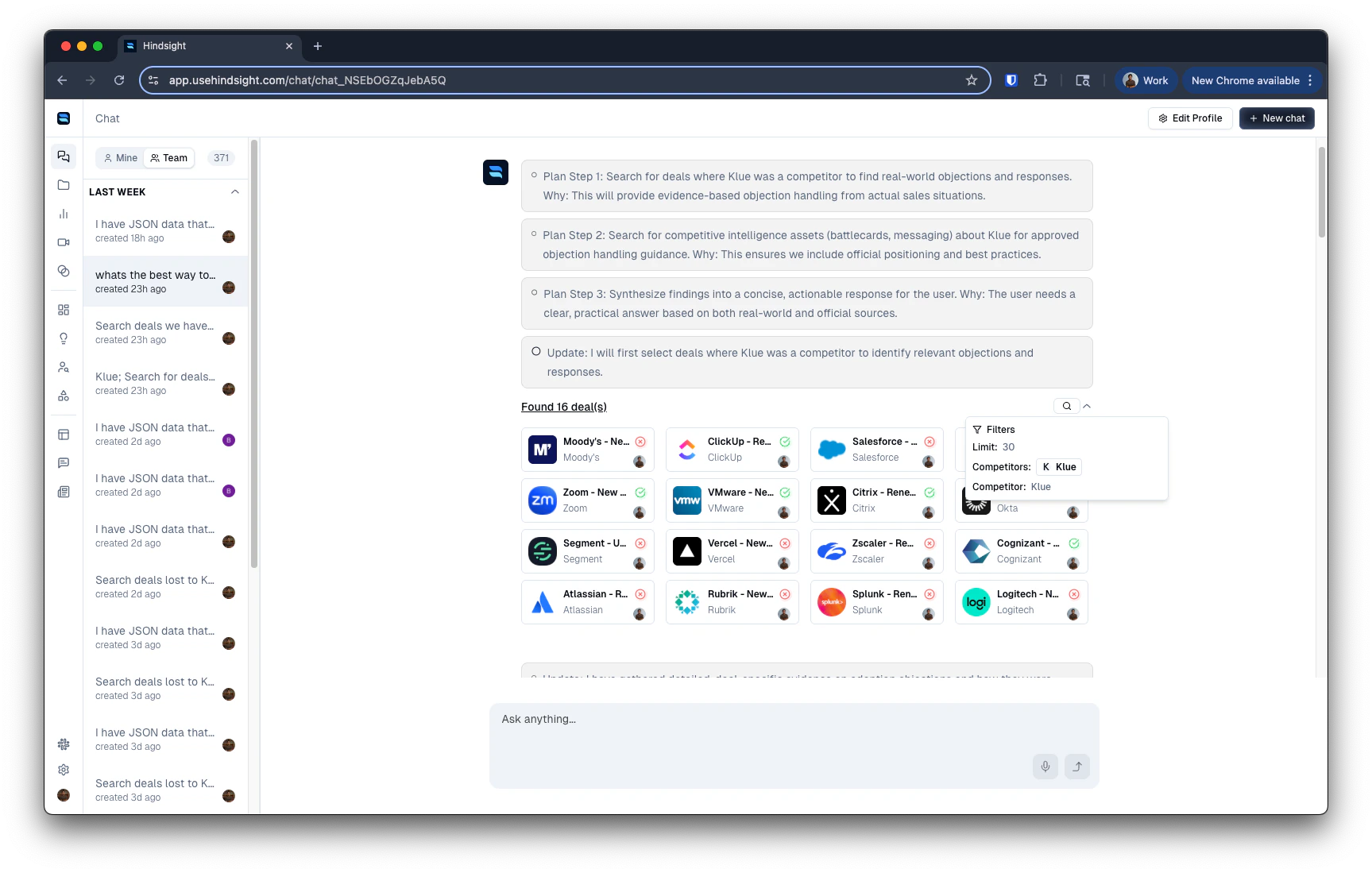
Search Deals
You’ll see the deals returned along with the documents where the keywords/themes were found.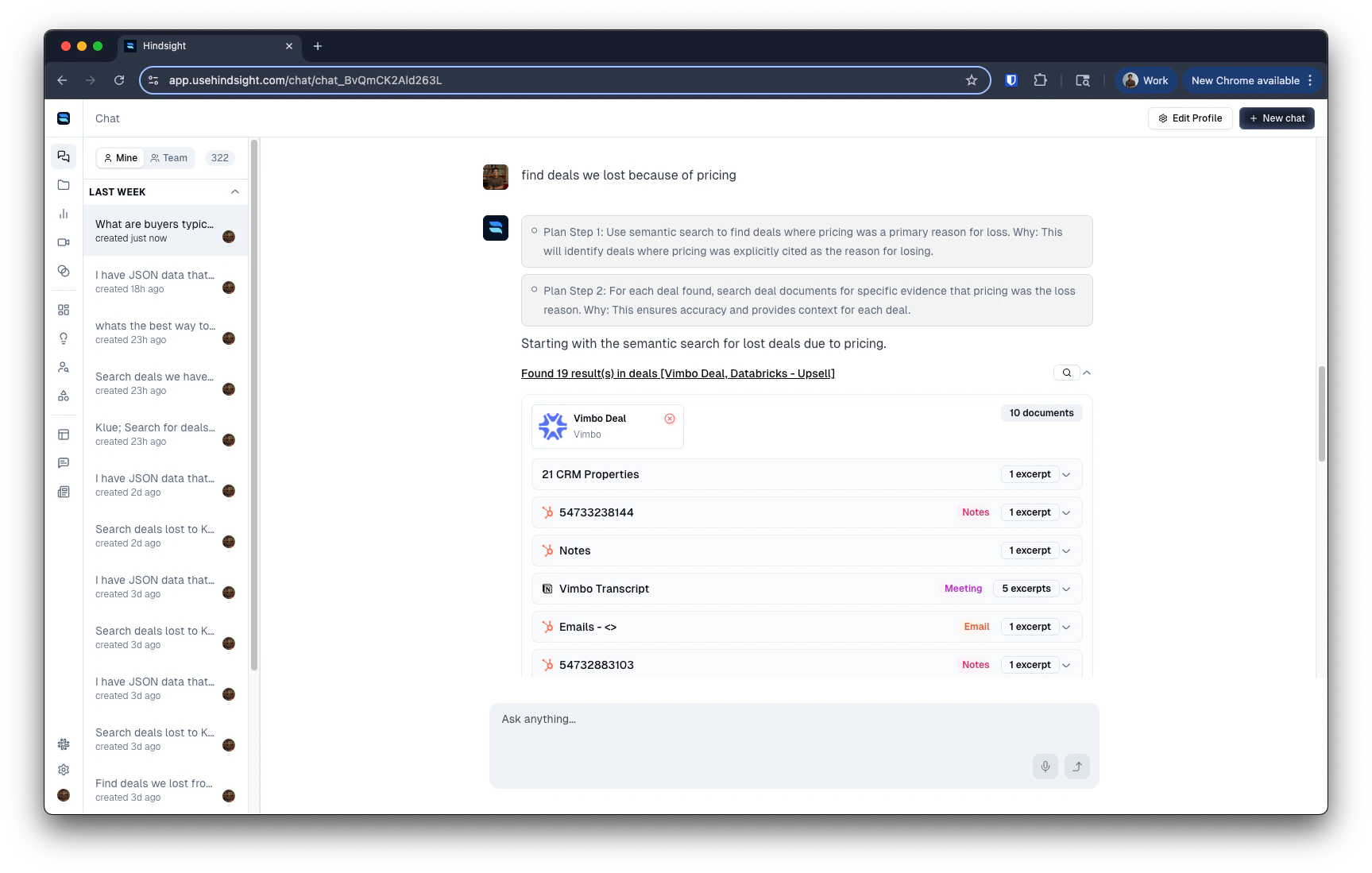
Search Across Deal Documents
You’ll see the specific quotes from deal documents from multiple deals, along with the query used in the hover.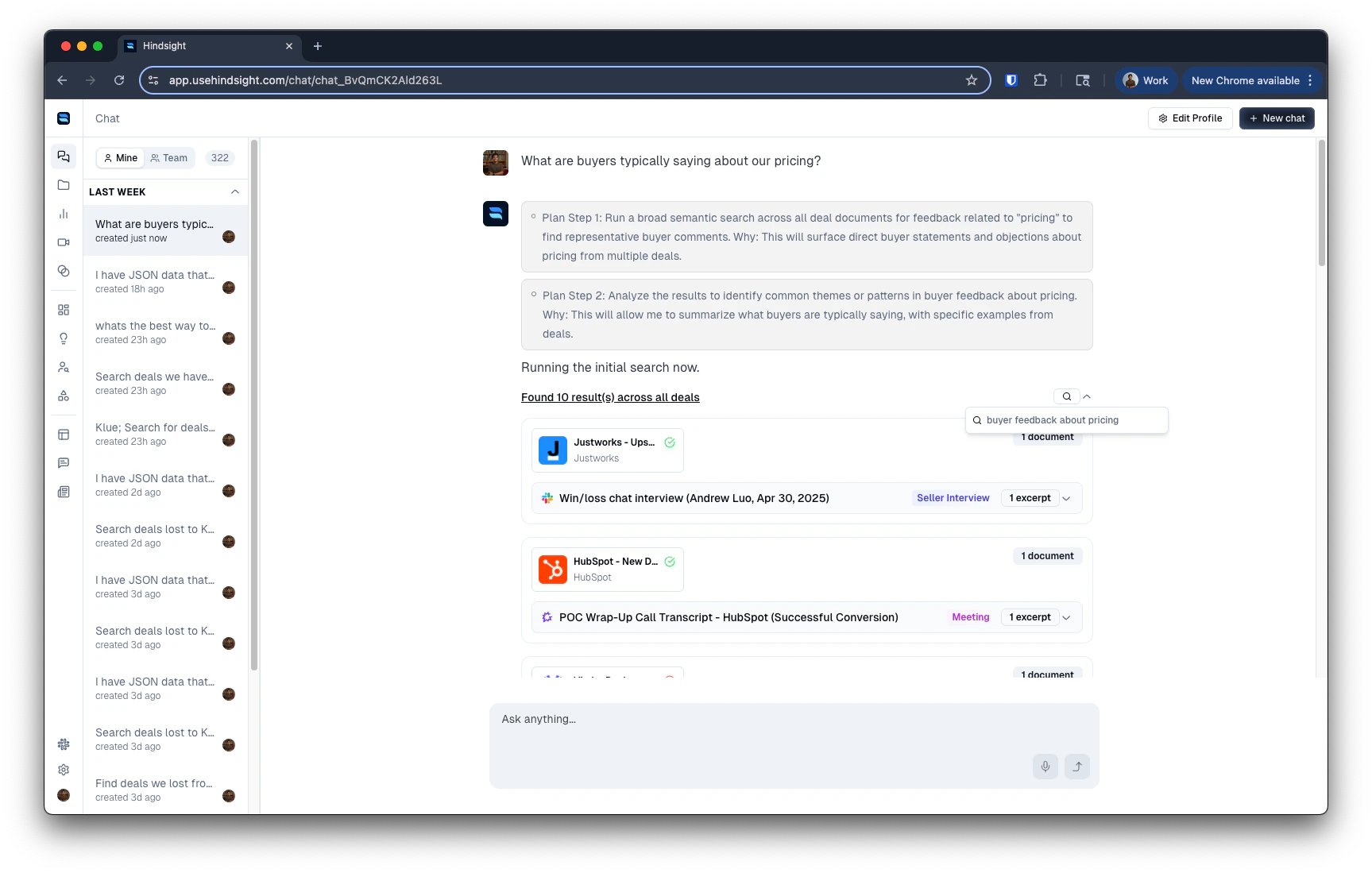
Search Within Deal
You’ll see the specific quotes from the deal documents within that deal, along with the query used in the hover.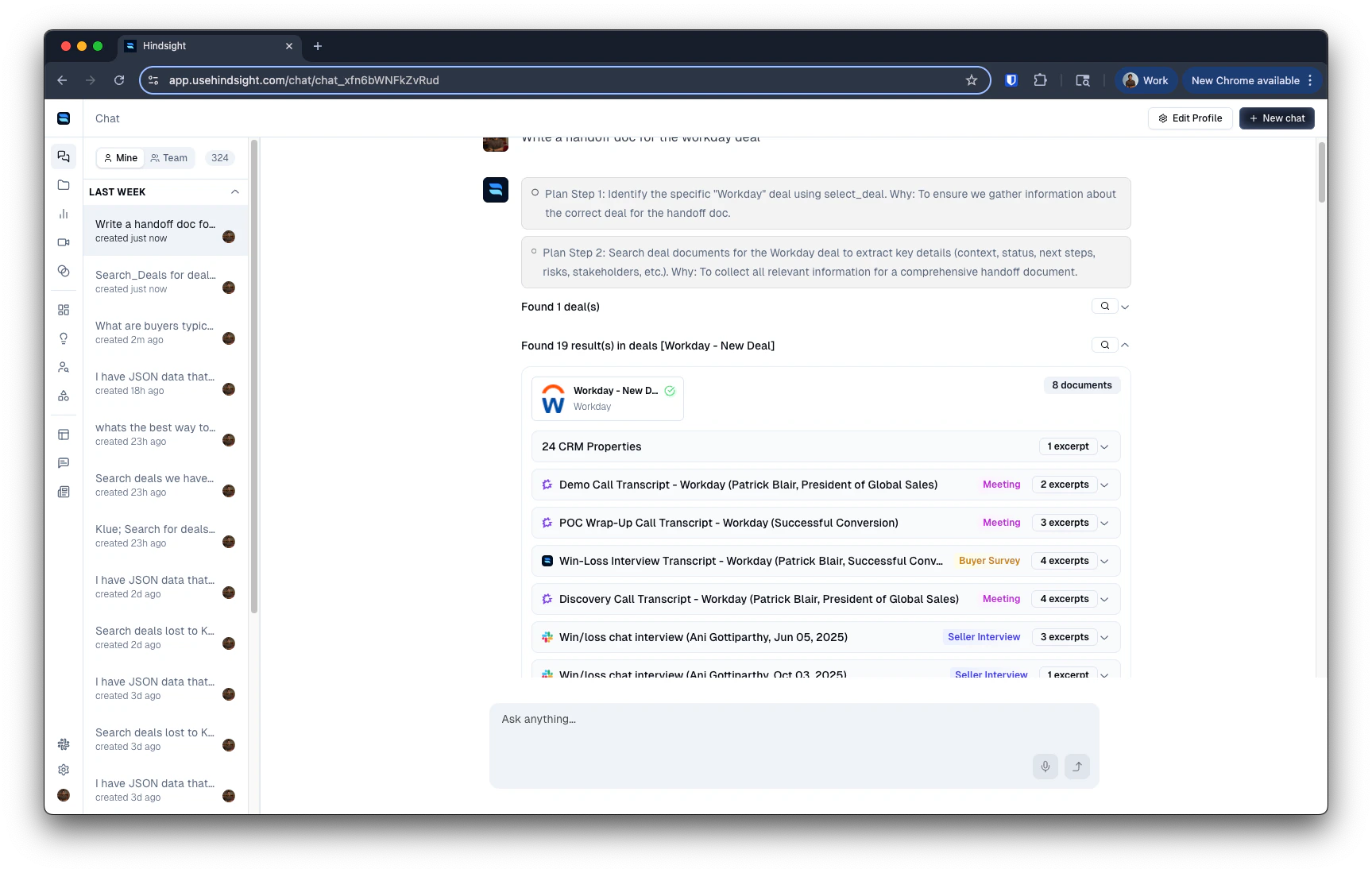
Competitor Assets & Intel
You’ll see the competitor’s logo and quotes from battlecards, competitive assets, and intelligence documents.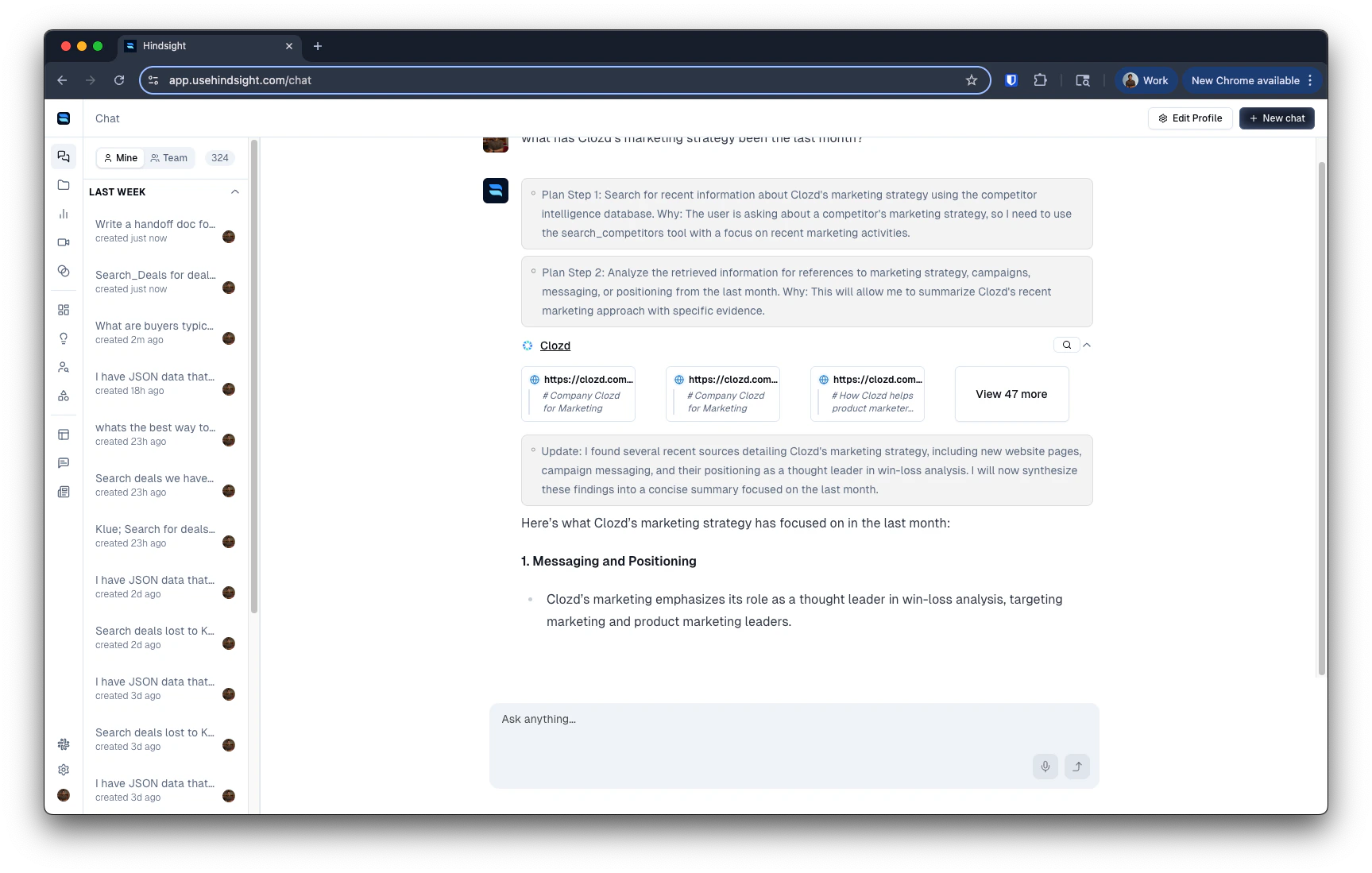
Knowledge Base
You’ll see results from your company’s internal messaging docs, playbooks, and enablement content. These are resources in your Asset library tagged under your organization’s name.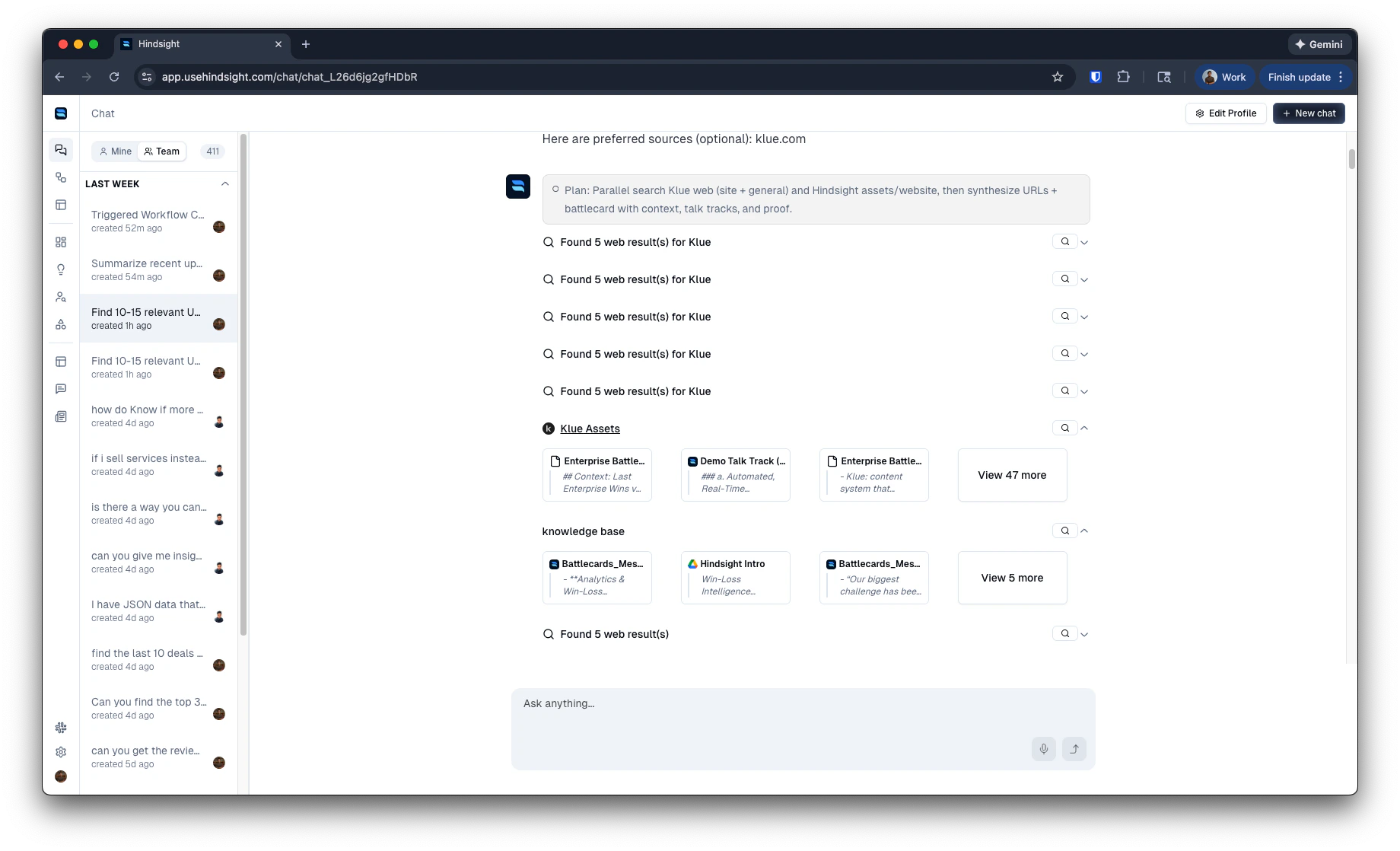
Web Search & Scrape URL
You’ll see live web results with links to the source pages, or extracted content from specific URLs you’ve provided. You can save these results to your Knowledge Base for future use.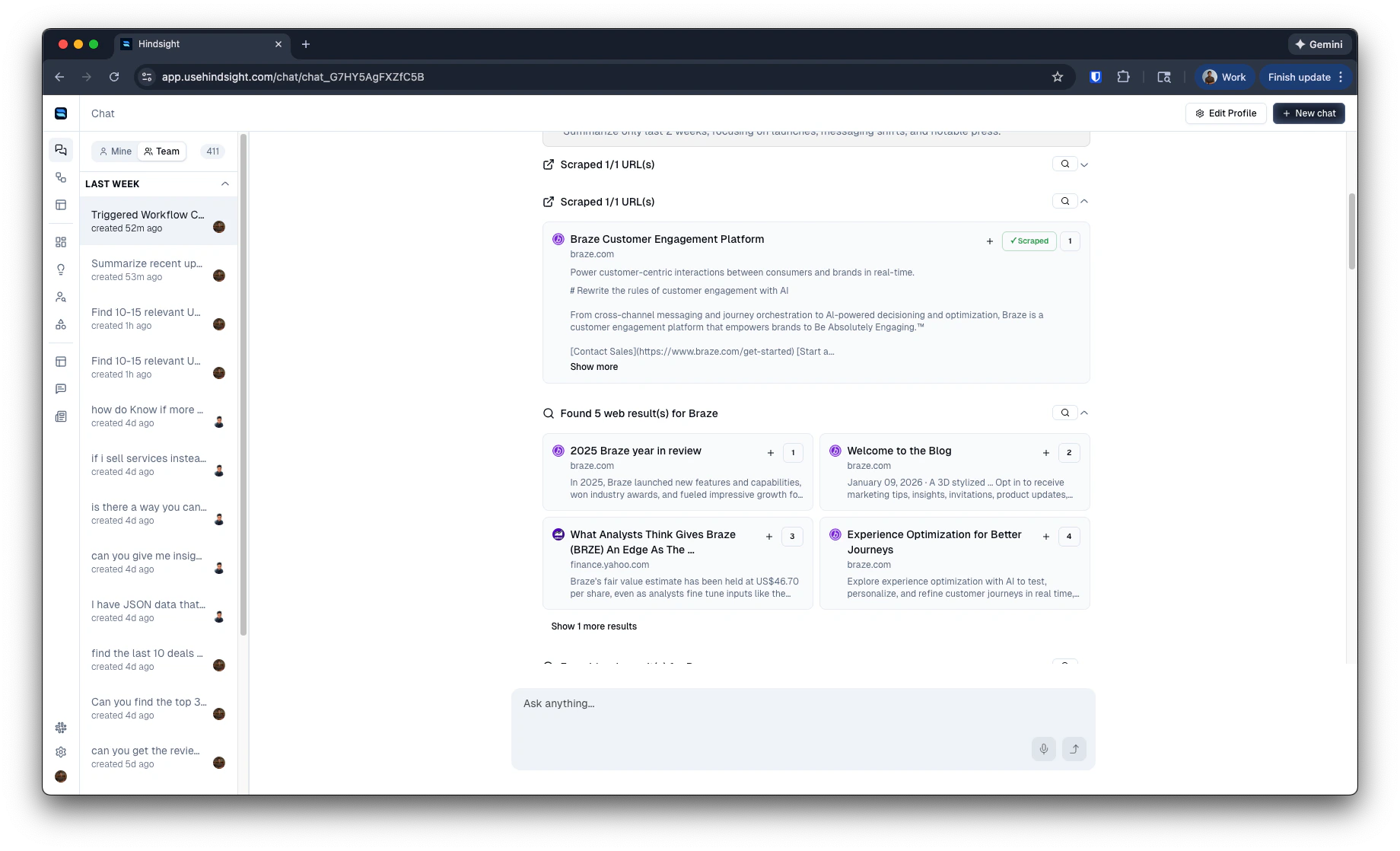
Analyze Segment
You’ll see the segment query, filters, segment dataset, tables, and charts.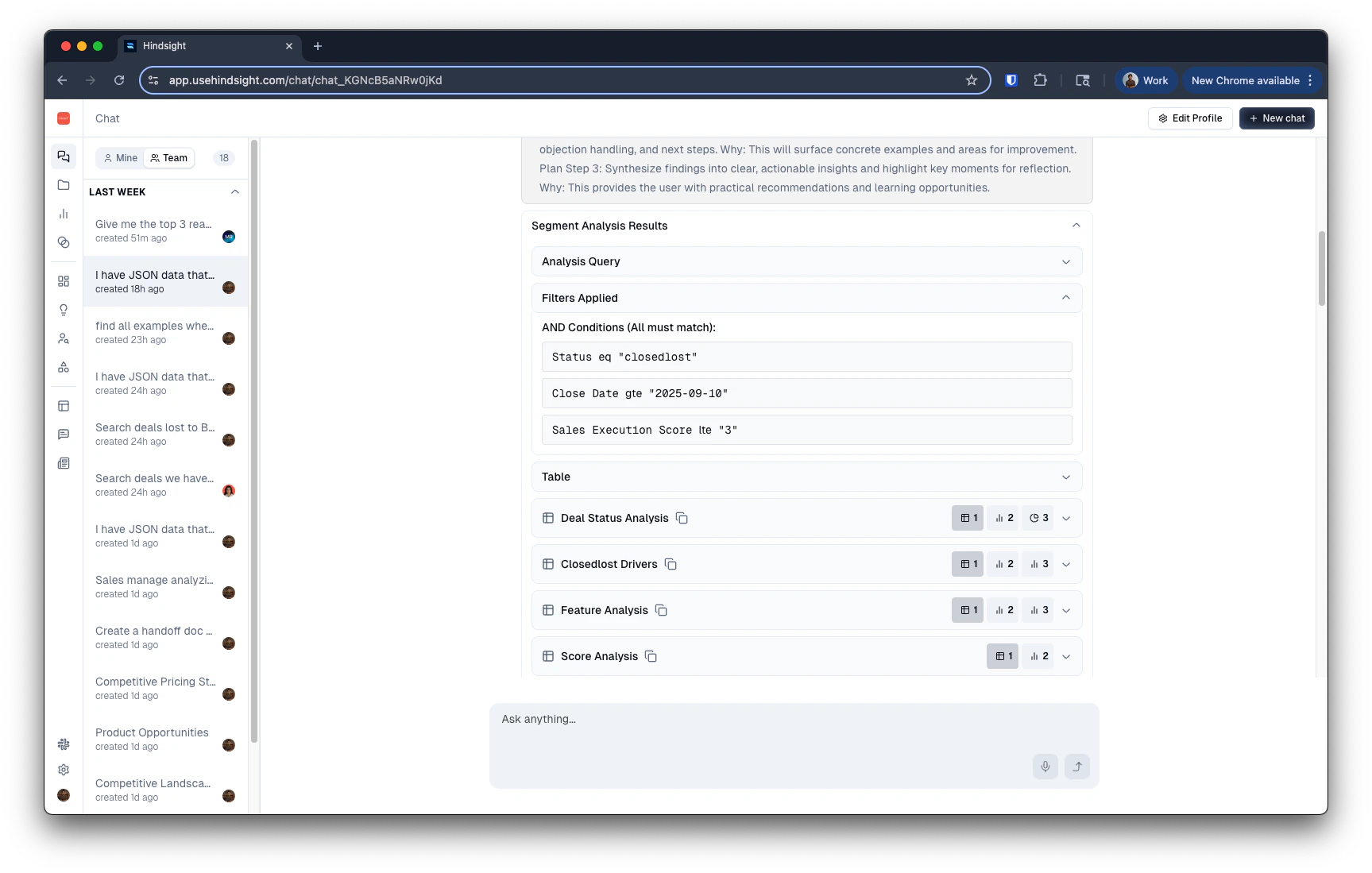
Chaining Tools
Think of the tools as building blocks:- Select Deals / Search Deals / Search Across Deal Documents — find the right deals.
- Search Within Deal — pull specific details and quotes from deals.
- Competitor Assets / Competitor Intel / Knowledge Base — layer in competitive context and your company’s positioning.
- Web Search / Scrape URL / Map URL / Browse Tool — fill gaps with live web information.
Use Cases
1. Messaging
Simple example
“Summarize how we won the Acme Corp deal against Competitor A. What messaging resonated most with the buyer?”
Powerful example
“Search deals that involved our Workflows and Approvals feature. Search those deals deal by deal and answer these questions: What pain points did buyers raise? How did reps message this in wins? Compare buyer needs and messaging in lost deals. Create a persona breakdown plus messaging and objection-handling guides.”
2. Competitive Asset Creation
Simple example
“Generate a battlecard for Competitor B — highlight top objections and our best responses.”
Powerful example
“Search deals we won vs. Competitor B. Summarize where we win. Then search deals we lost and analyze why we lost. Include key product comparisons, and pricing references. Combine into a one-pager with objection handling and differentiated messaging.”
3. Product Insights
Simple example
“Search for mentions of our Reporting Dashboard. What problems did buyers highlight?”
Powerful example
“Find deals lost due to reporting limitations. Then compare to wins where reporting was cited positively. Summarize buyer needs, gaps, and feature requests into a report for the product team.”
4. Sales Coaching
Simple example
“Show me questions buyers asked in lost deals with Competitor C.”
Powerful example
“Search deals lost to Competitor C in the past quarter. Identify the toughest buyer objections and compare how top-performing reps vs. others responded. Turn this into a coaching guide with recommended talk tracks.”
5. Handoffs
Simple example
“Summarize the Acme Corp deal for the implementation team — key buyer needs and objections.”
Powerful example
“I’m creating a handoff document for the Acme Corp deal. Highlight buyer expectations, key risks, and commitments made. Find similar deals with similar risks and see if there’s anything we can learn from them. Format as an onboarding brief for Customer Success.”
6. Reports
Simple example
“Create a weekly summary of deals lost due to pricing.”
Powerful example
“Search Across Deals for closed-lost due to pricing in the past quarter. Break down by competitor and buyer persona. Highlight common negotiation patterns and summarize into a pricing strategy report.”