

The Two-Tier Approach
The core idea is to separate your competitive coverage into two tiers: Tier 1 — Named competitors. Your top competitors get dedicated battlecards built from deal data and kept current with automated workflows. These are the names that come up in most of your deals. Tier 2 — Category competitors. Everyone else gets covered by category-level battlecards that address the type of competitor rather than the specific company. When a rep encounters a competitor you haven’t built a named card for, Hindsight can generate tailored guidance on the fly using scoped web research — grounded in the right category strategy. This means you’re not starting from zero for long-tail competitors, and you’re not trying to maintain 40 individual battlecards.Step 1: Understand Your Competitive Landscape
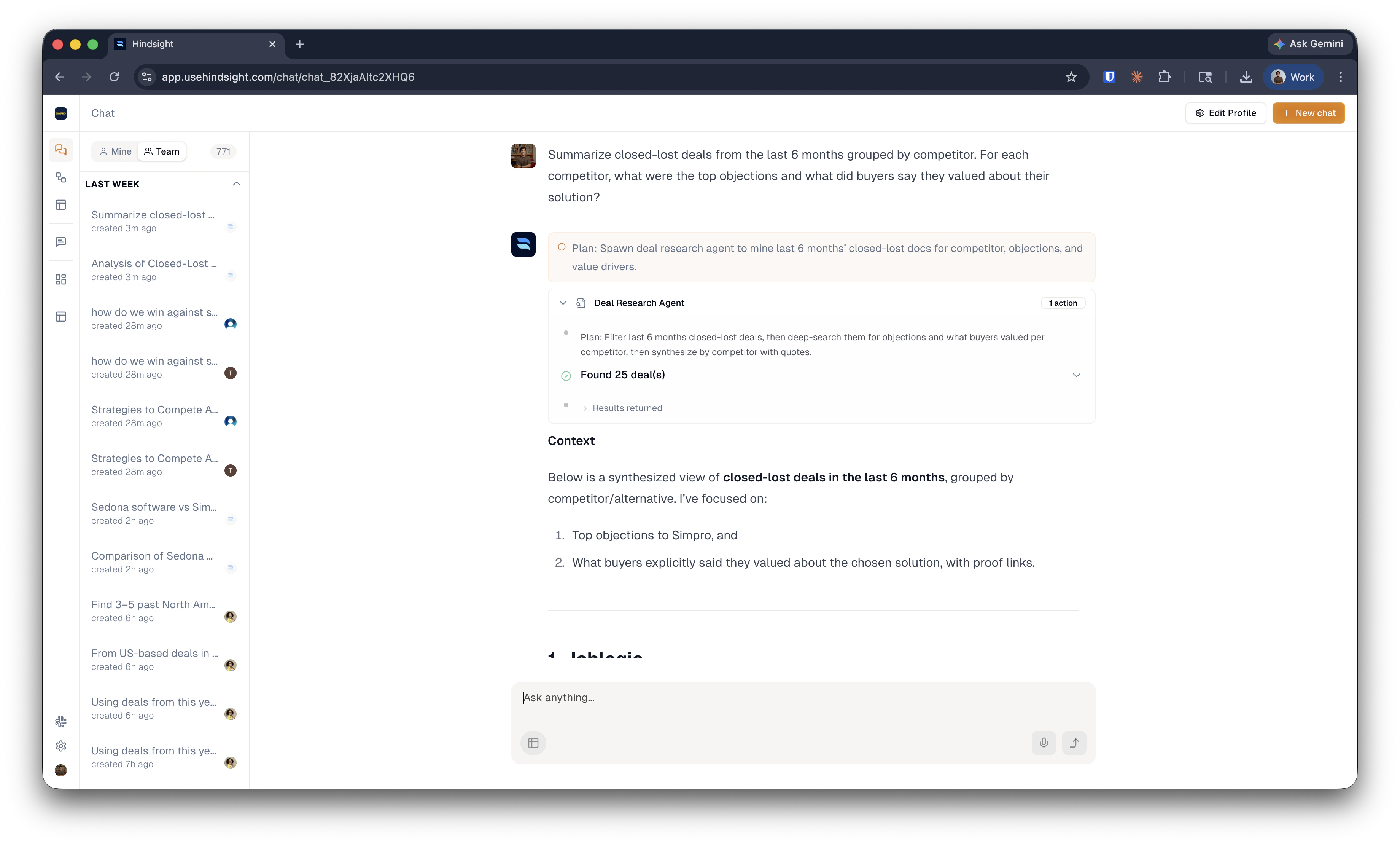
Before building anything, get a clear picture of who you’re actually competing against and how they cluster. Use Hindsight to research your tracked competitors and look for patterns. A useful starting point is to ask Hindsight to summarize win/loss themes by competitor, then look for common threads — similar objections, similar buyer profiles, similar positioning. The goal is to group competitors by the pain they create for your buyers, not by product features or market category. Competitors that look different on paper often create the same friction in a deal. If your strategy for beating them is essentially the same, they belong in the same bucket.Example prompt: “Summarize closed-lost deals from the last 6 months grouped by competitor. For each competitor, what were the top objections and what did buyers say they valued about their solution?”Once you have a read on the landscape, define your categories. Three to five is usually enough. Give each one a name that reflects the buyer pain — something your reps will immediately recognize from their deals.
Step 2: Build Category Battlecards
For each category you’ve defined, build a battlecard that gives reps a strategy — not just a feature comparison. A strong category battlecard covers:- What type of buyer gravitates toward this category of competitor and why
- The core objections reps will hear, and how to respond
- Where your solution wins and where the real risk is
- What to probe for and what to avoid saying
Example prompt: “Search closed-won and closed-lost deals where any of [Competitor A, Competitor B, Competitor C] were evaluated. Identify the top objections in losses and the win themes in wins. Build a category battlecard covering: buyer profile, top objections and responses, win strategy, and 3 things to avoid.”See Creating Competitive Content for a full guide on building and refining content in Hindsight. Where to build: You can create content directly in Hindsight, or use an integration like Google Drive or Notion and sync it in. Native Hindsight content is easiest to maintain — updates are reflected immediately across the platform.
Step 3: Build Named Battlecards for Top Competitors
For your Tier 1 competitors, follow the same process with more specificity. Named battlecards can go deeper: specific pricing objections, known product gaps, recent announcements, rep talk tracks grounded in actual deal conversations. The tighter you scope the recipe, the more useful the output. Use Workflows to keep these current automatically. Set up a workflow that runs your battlecard recipe on a cadence — weekly or bi-weekly — and surfaces suggested updates to your library when new deal data or intel comes in. You review and accept; nothing overwrites without your sign-off.Step 4: Configure Each Competitor in Hindsight
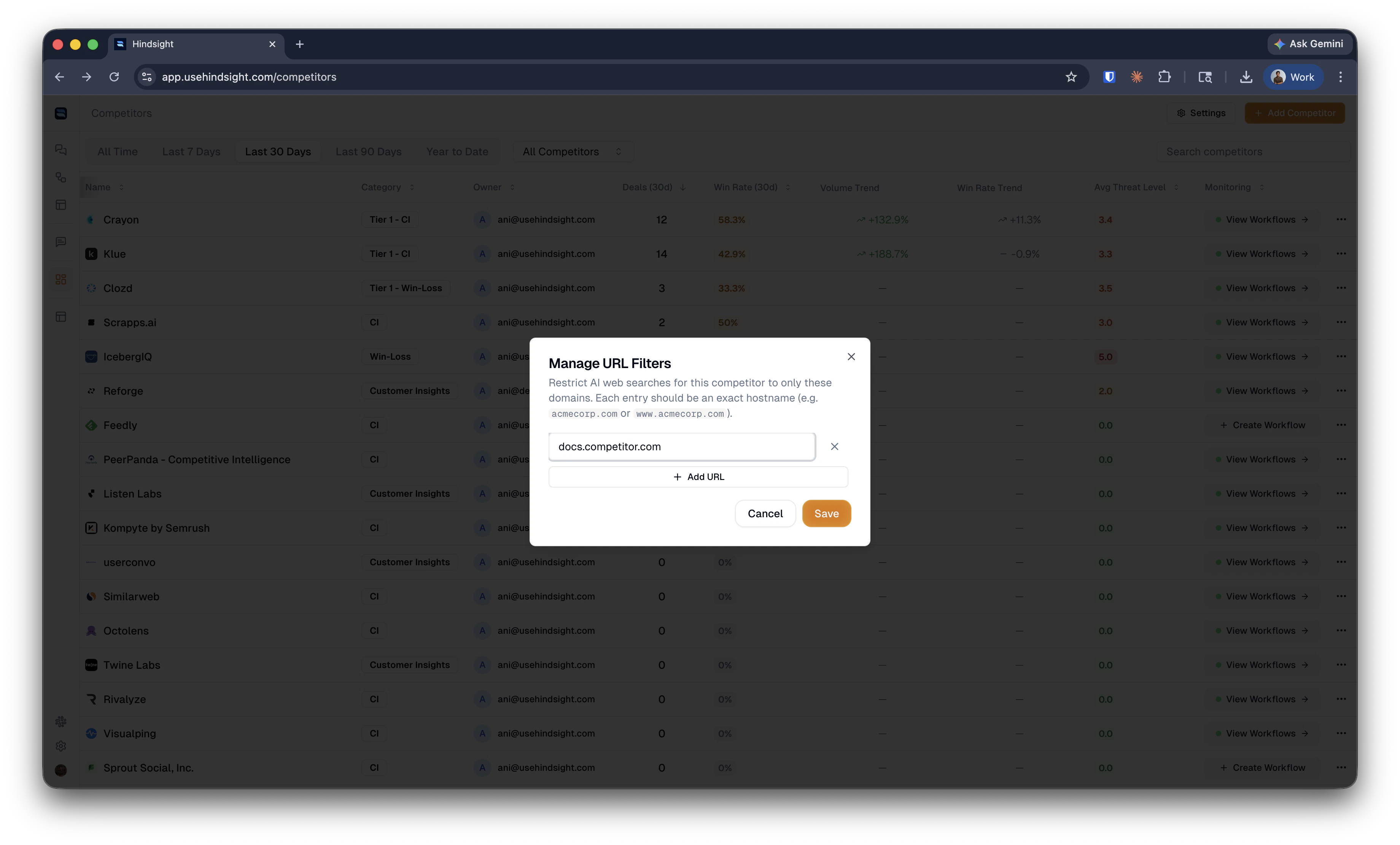
Once your content is built, set up each competitor in Hindsight to make sure the AI draws from the right sources when reps ask questions. Add a category. On each competitor’s profile, add the category you assigned in Step 1. This is how Hindsight connects a named competitor to the right category battlecard when a rep encounters someone you don’t have a dedicated card for.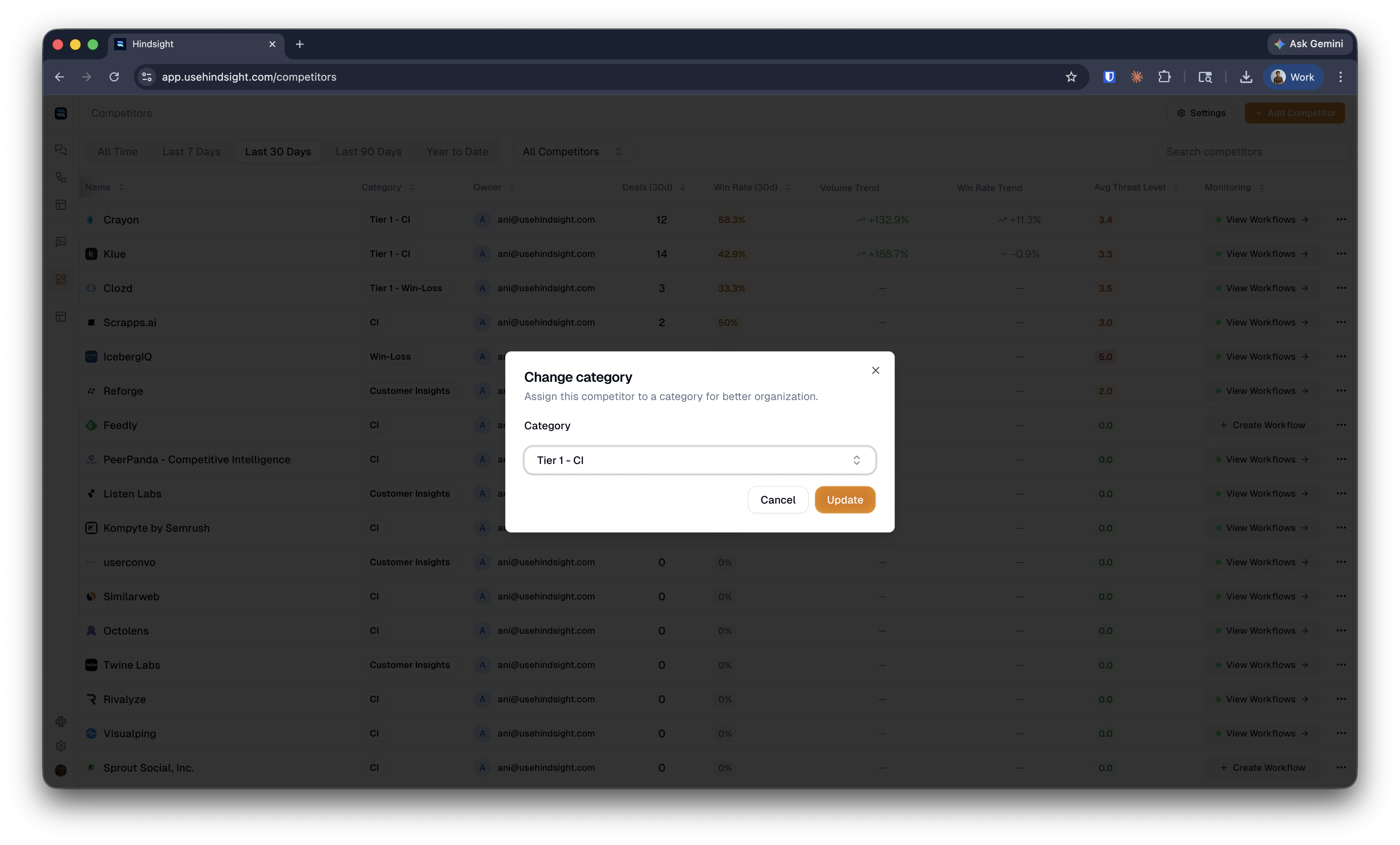
docs.competitor.com, competitor.com/pricing).
Step 5: Organize Your Asset Library
How you tag and organize content in your library determines how well Hindsight retrieves it when reps need it. Named battlecards go under the specific competitor. Tag them with the competitor’s name so the AI can surface them in relevant deal conversations. Category battlecards go in the asset library with a label matching the category name you defined in Step 1. Don’t file them under a single competitor — they’re meant to cover the whole group.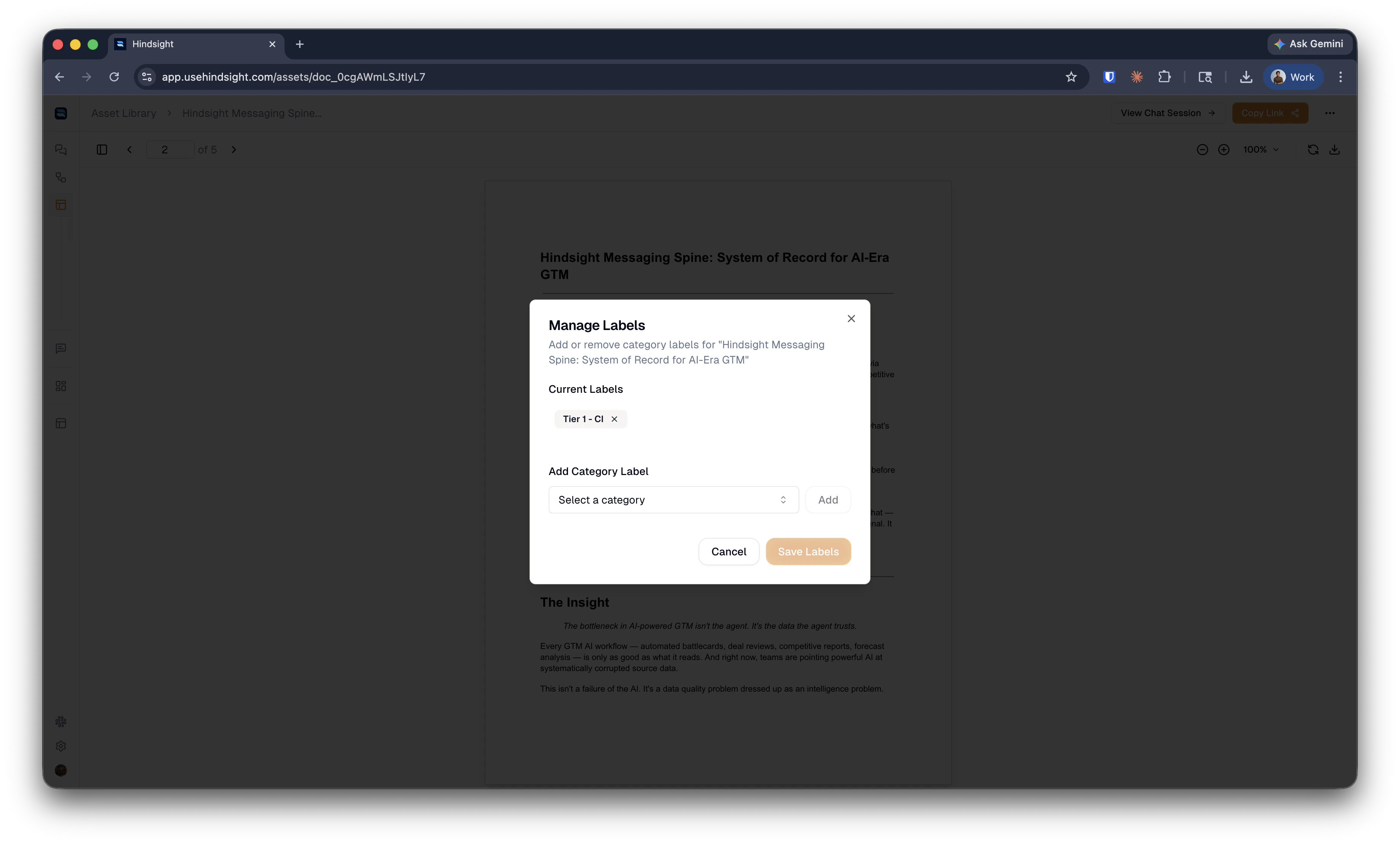
- Title assets clearly. “Battlecard” is not a useful title. Use something like “Price-Focused Competitors — Category Battlecard” or “Competitor X — Enterprise Objection Handling.” The title is how Hindsight finds and cites your content, and how reps know which one to use.
- Add a last-updated note at the top of each document. This tells your team how fresh the content is and when it’s due for a refresh.
- Use markdown. Hindsight retrieves and cites markdown most reliably. Clean formatting improves answer quality.
- Prefer multiple short documents over one long one. A single 20-page competitive doc is harder to retrieve from accurately than four focused ones. Split by segment, use case, or deal stage if needed.
Step 6: Configure the Slack Assistant
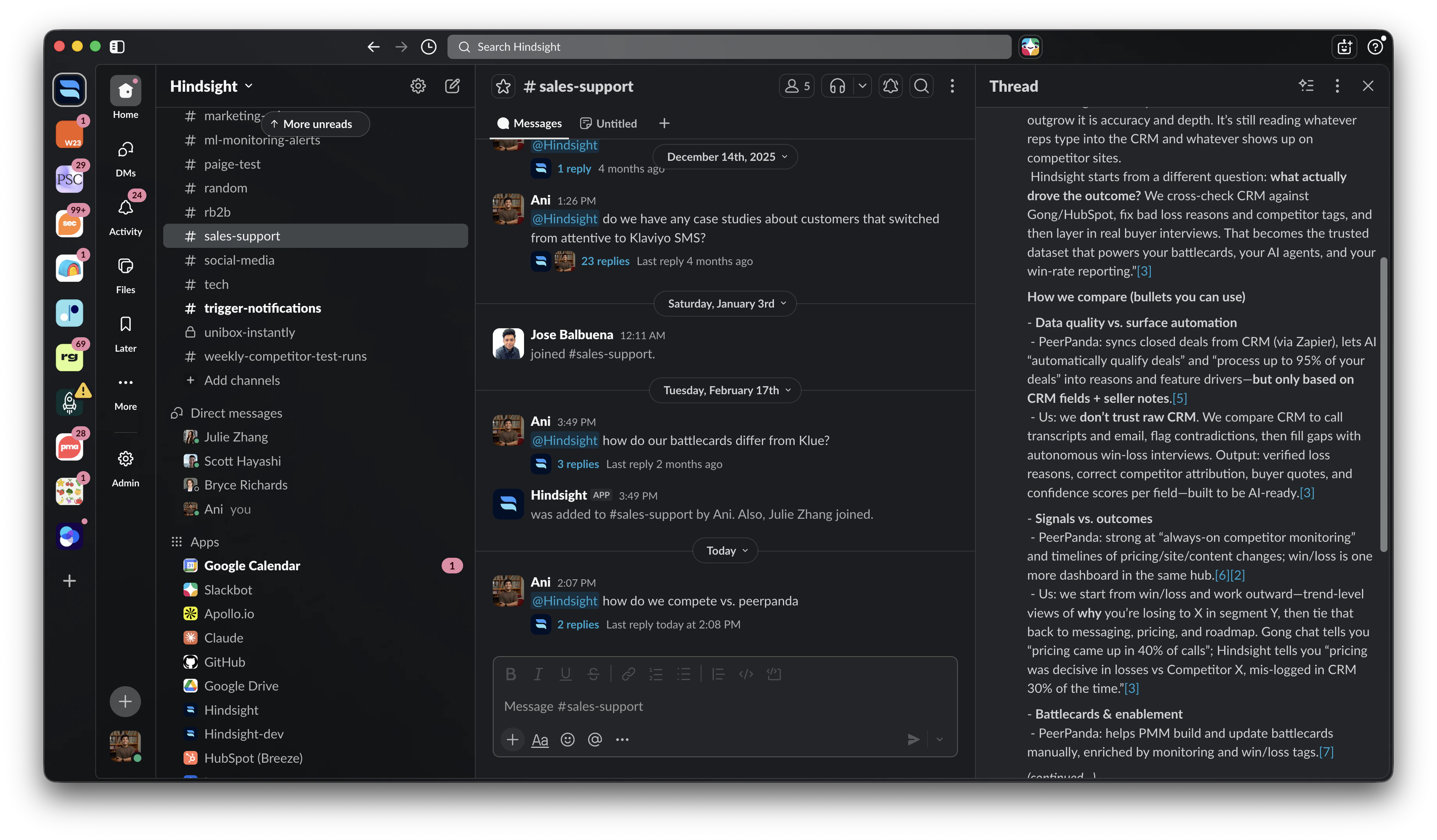
Once your content is in place, configure the Slack Assistant so reps can get fast, accurate answers without leaving their workflow. Go to the Slack Assistant settings and add Custom Instructions to shape how the assistant responds for your team’s specific needs. One pattern that works well is an “on a call” mode — instructions that tell the assistant to give shorter, more direct answers when a rep signals they’re mid-conversation. For example:“If the rep says they’re on a call or asks for a quick answer, respond in 3 bullet points or fewer. Lead with the most important thing to say, not background context.”You can also use custom instructions to reinforce your messaging, define tone, or restrict certain topics until your content is ready.
Putting It Together
The setup above gives you a competitive program that scales without proportional maintenance cost:- Top competitors get named battlecards, kept current by automated workflows
- Long-tail competitors are covered by category strategies with scoped live research filling the gaps
- Reps get fast, sourced answers in Slack — with or without a named battlecard for the competitor they’re facing
Related: Library Setup | Creating Competitive Content | Competitor Monitoring | Slack Assistant